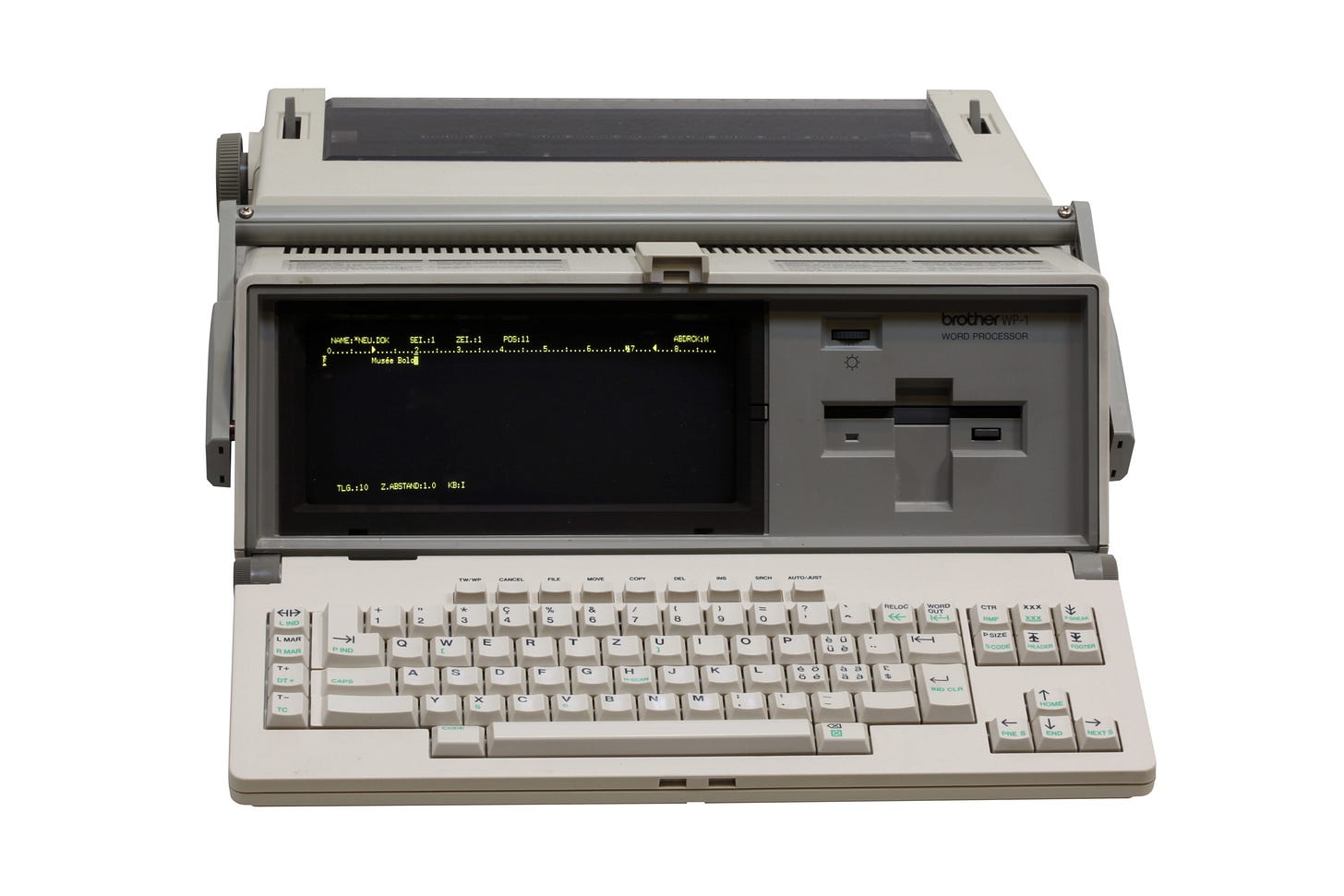

Authors note: While this piece hasn't (yet) inspired my editor (and brother) to join the Word Processor revolution, it did inspire him to put pen to paper and finish his first piece in a while (he's one of the dozens of pen and paper writers I mention below). Give it a read here.
Earlier this year I met with a potential client for a tech consulting opportunity. He had just pulled in when I arrived, and we made some small talk as he got out of his buggy and started hitching up his horse.
Yes, you read that right. The client was a Plain Mennonite who owns a technology company. They sell computers and software to other Plain Mennonites and Amish - computers that can’t connect to the internet. They’re relatively modern desktops, but they run a modified version of the Linux operating system that doesn’t have a browser, email client, games, or a music player. It has an open source version of the Microsoft Office suite, CAD, paint, and a few other things. If you want to move files or data on or off, you have to use a USB drive. When I saw it on my visit, it felt like I was transported back in time to the late 90s, when our Windows 3.1 machine didn’t yet have AOL.
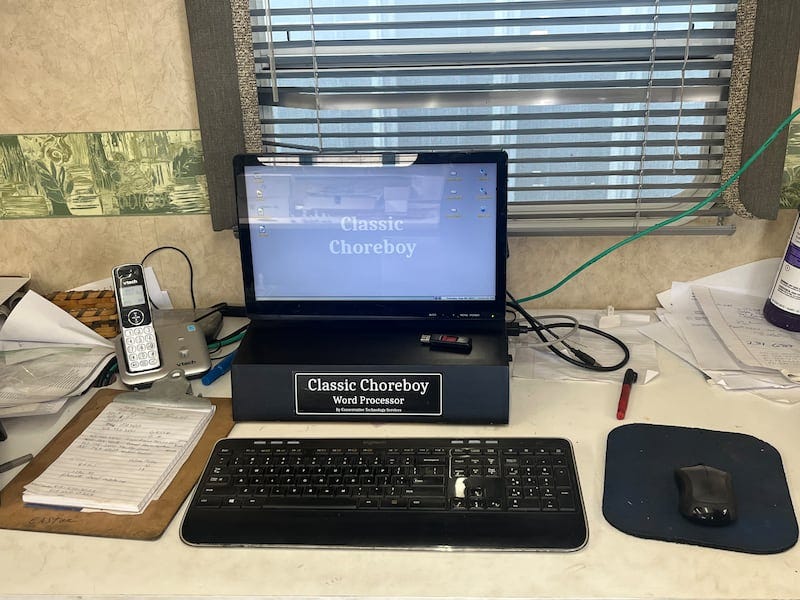 The “Choreboy” PC. via

The computer was more of a tool in those days, with a limited set of tasks it could help you perform. That’s the reason these communities make and buy these 90s-era PCs: they use them to help run their businesses in the digital era, but the limits help them avoid the negative consequences that these devices have had on many other communities. This includes other Amish and Plain Mennonite communities who allow internet and smartphones for business reasons.
When I reported back on my visit to my wife and family, it led to a conversation about the recent trend toward older devices of the late 90s and early 2000s. We wondered if there was a market for these “Choreboy” PCs among the “English” (non-Plain) community. I came to the conclusion that while they might get some interest as a curiosity, I couldn’t imagine that I would actually find much benefit from one. Sure, I wouldn’t be distracted by the internet, but what would I actually do with it?
I was reminded of these conversations recently as I was pondering the rut I was in with my writing. Years ago my brother and I had a conversation about how our ideal “job” would be to get paid to indulge our endless desire for knowledge. We would spend our days reading and learning about the topics that interested us - but somehow get paid to do it. We came to the conclusion that the only way to do it was to become writers, so we decided to try. It seemed from my brief research into the question “how do I become a writer” that the answer was “just write”. So I wrote my first piece in Google Docs and had the recently released ChatGPT “edit” for me. The edited version sounded a lot better than what I wrote, so I took it and published it. It felt great! And then... I didn’t write anything else for 2 years.
I broke out of that dry spell with a shift in writing tools. Through my endless desire for knowledge, I learned that a surprising number of living writers still write by hand onto actual, physical paper. Sure, they were the type of people you would expect, but there were at least dozens of them. So I joined their ranks. I took up my fountain pen and began to write in (relatively) cheap Moleskine notebooks. To my surprise, it worked. I thought it would take forever, but I learned that the really time-consuming part was coming up with what to say, not writing it down. I could write anywhere, and there weren’t any notifications or distractions in another browser tab.
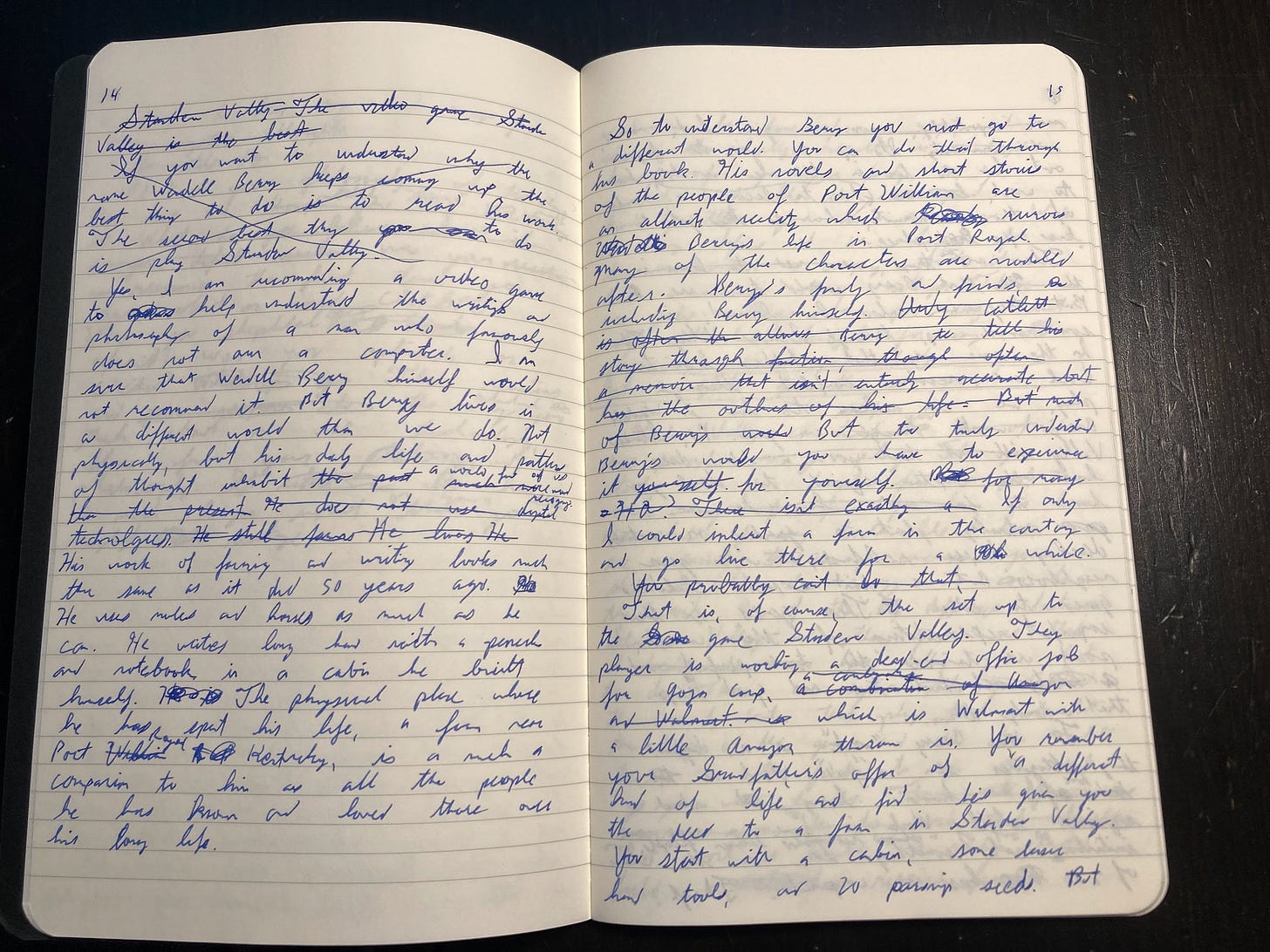
Interestingly, the tool choice also influenced what I actually wrote. My essays became longer and more heavily researched, a trend that was at least partially influenced by the pen and paper. The physical act pushed me into a particular mode of writing. I still used ChatGPT, but only to transcribe each paragraph as I read it out loud and to copyedit the final draft. By then I had realized that if I wanted to become a writer, I also needed to learn how to edit, and ChatGPT wasn’t helping me do that. I enlisted my brother to become my (unpaid) editor, a job he eagerly took up. I published 5 pieces and it felt great! And then... I didn’t write anything else for 5 months.
L.M. Sacasas recently wrote about his own struggles to get back into writing regularly, and how he has shifted back to a more blog-like style to help build the muscle again. Well, if it can work for him, why not me? But writing a blog with pen and paper didn’t feel quite right. Blogs are shorter, more reactionary, and less fully developed than the essays I’d been writing. Blogs need to be written with a keyboard.
This brought me back to the Choreboy. I realized I had missed the one obvious use case for it: writing. I remembered that before my family had a true PC, we had what was called a “word processor” that my dad wrote his PhD thesis on (the model pictured at the top best matches my recollection). All you could do with it was write, print, and save the files to a floppy disk. That sounded even more ideal than the Choreboy — I would just replace the floppy disk with a USB drive. What I wanted was a word processor. So I used Claude to help me build one.
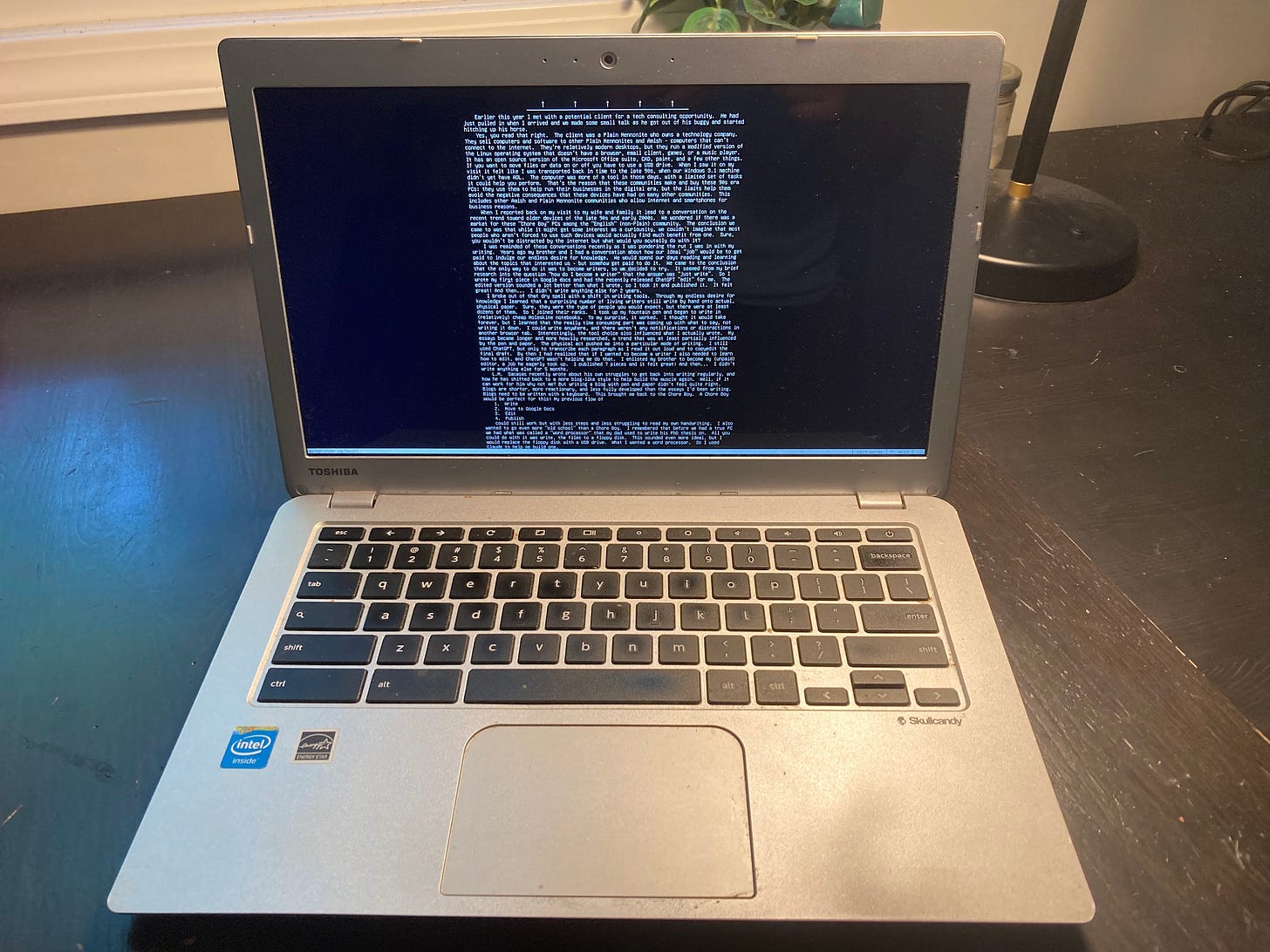
We had a Chromebook from 2014 that I had refused to part with, so I told Claude that I was looking to transform it into a word processor. I am experienced with installing Linux, and working in a command line interface doesn’t scare me, but Claude built an end-to-end plan that walked me through the steps and helped me troubleshoot when things didn’t go quite right. In the end I got a laptop that doesn’t have a browser, email client, games, or music player. It just has a command line interface, which I can use to open WordGrinder, the word processing software. It’s not Microsoft Word, but it has standard keyboard shortcuts, word count, and autosave. That’s it. When I open the laptop, all I can do is write. When I’m done with the draft, I export it to Markdown, push it to a USB drive, and open that on my Mac for further editing. I find that it has a lot of what I liked about writing on pen and paper, but I don’t have to decipher my own handwriting and it encourages the blog-like style that I’m aiming for right now.
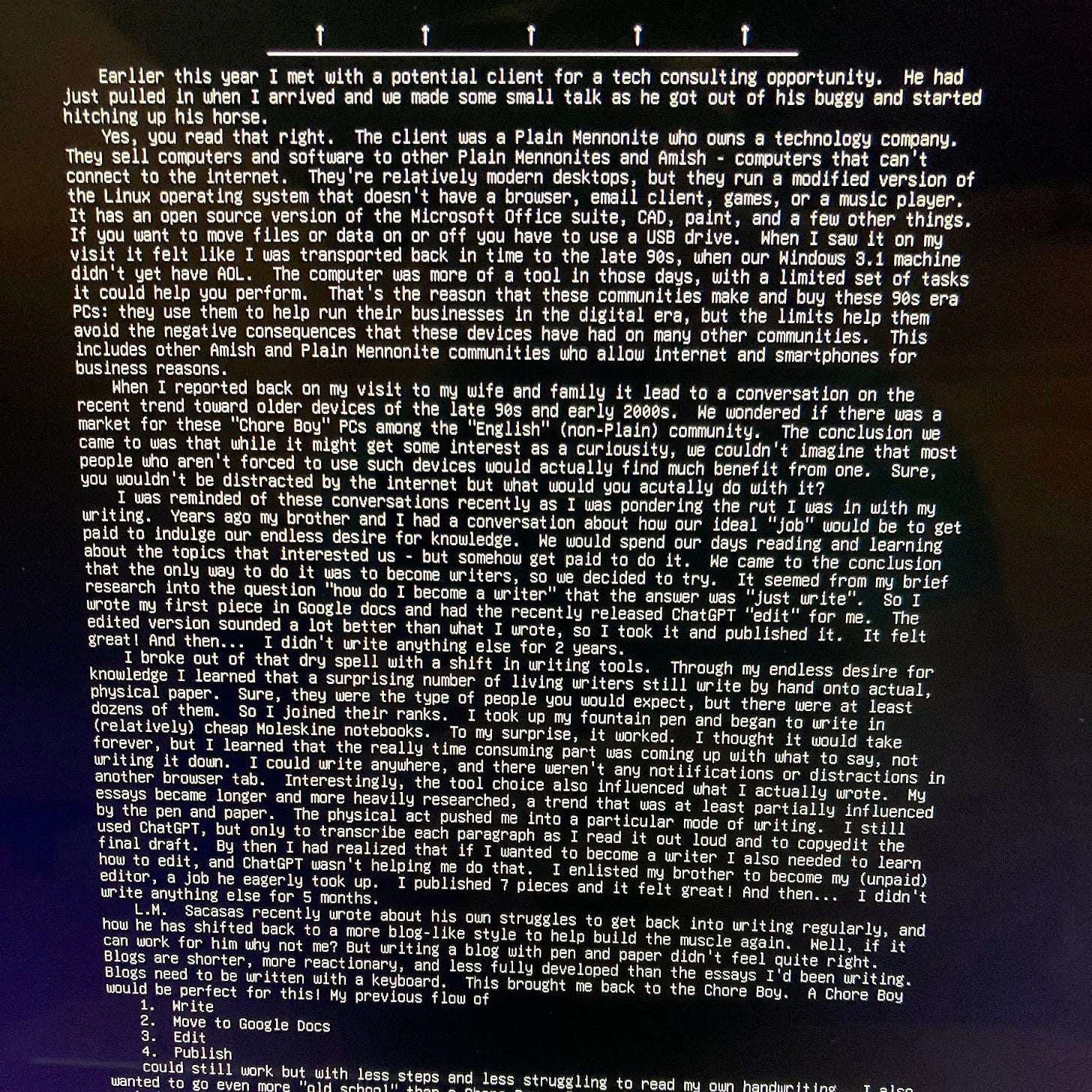
Turns out that this type of thing has a name: a “writerDeck“. A post about a similar setup got a lot of attention in some nerdier corners of the internet. Cal Newport calls this type of thing a “single purpose device”: a device that does one dedicated thing, as opposed to, say, a smartphone that has merged many of these previously single-purpose devices together. These can be throwbacks to actual 90s or early 2000s tech, or new devices that mimic them. When it comes to word processors, there are a few modern devices out there: Freewrite, Pomera, AlphaSmart. But to me there’s something about the form factor of a laptop that these devices don’t quite match.
As I have written before, I don’t expect that this trend will be able to solve the root causes of our societal problems related to digital technology. I’ll probably publish another 5 pieces... and then nothing else for a month. But it seems like late 90s/early 2000s tech had the right mix of convenience and friction. Computers that can’t do everything have been working for the Plain community for years: now they’re working for me.
If you’re interested in a detailed writeup on how I set up my word processor, or if you want me to build one for you, let me know in an email reply or comment.